Setup Guides ›Use GPT Models inside Claude
Use GPT Models inside Claude
Configure proxy-related settings in CCSwitch so Claude Code can call GPT models.
Claude using GPT modelsUpdated: 2026-05-14Read time: 4 min
Intro
This guide shows how to use GPT models inside Claude with a quick CCSwitch setup.
Who this is for
- Claude Code users
- Users who want GPT models inside Claude
Steps
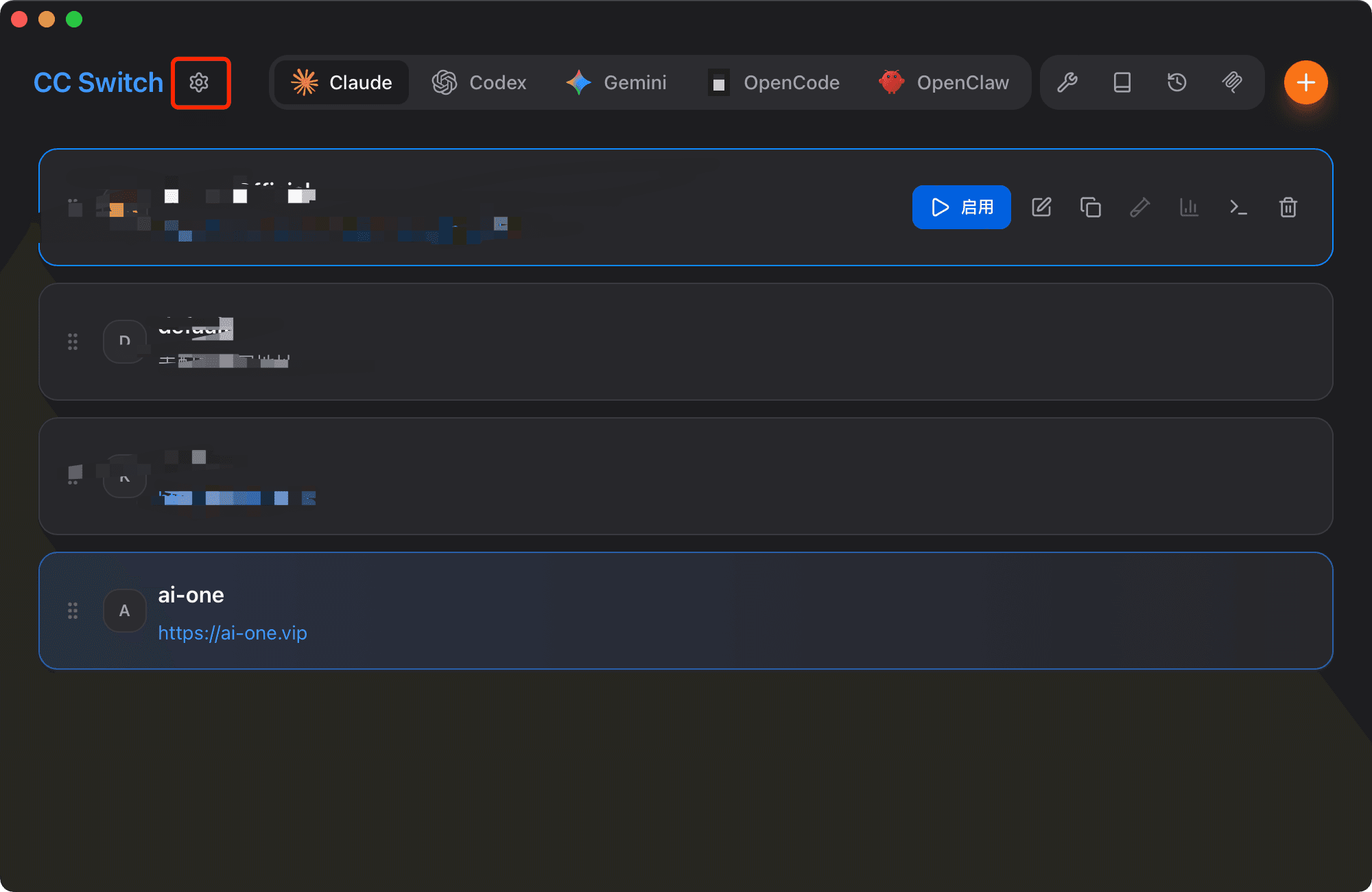
Step 1: Open CCSwitch settings
Click the settings button in CCSwitch.
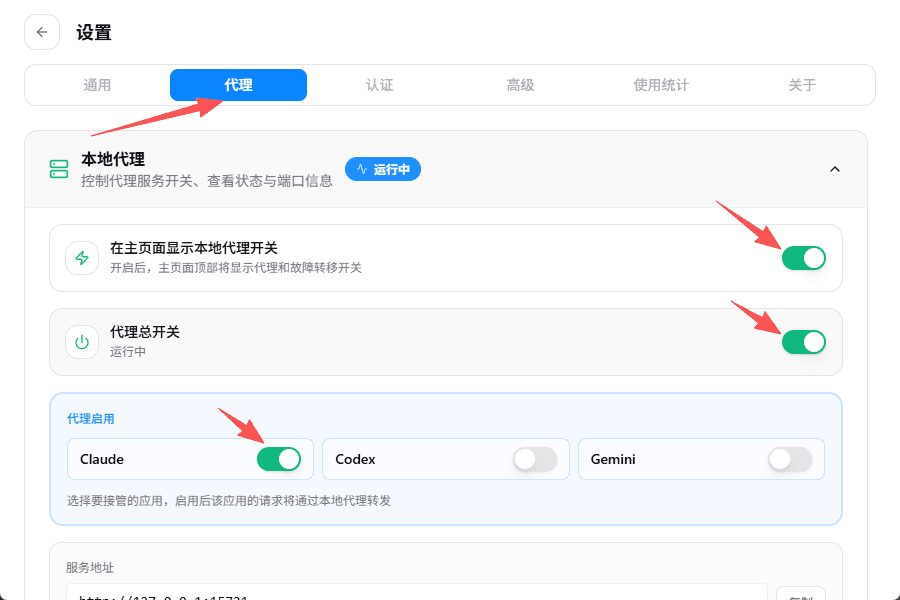
Step 2: Enable proxy options
Open the Proxy tab in settings and enable the three options shown in the screenshot.
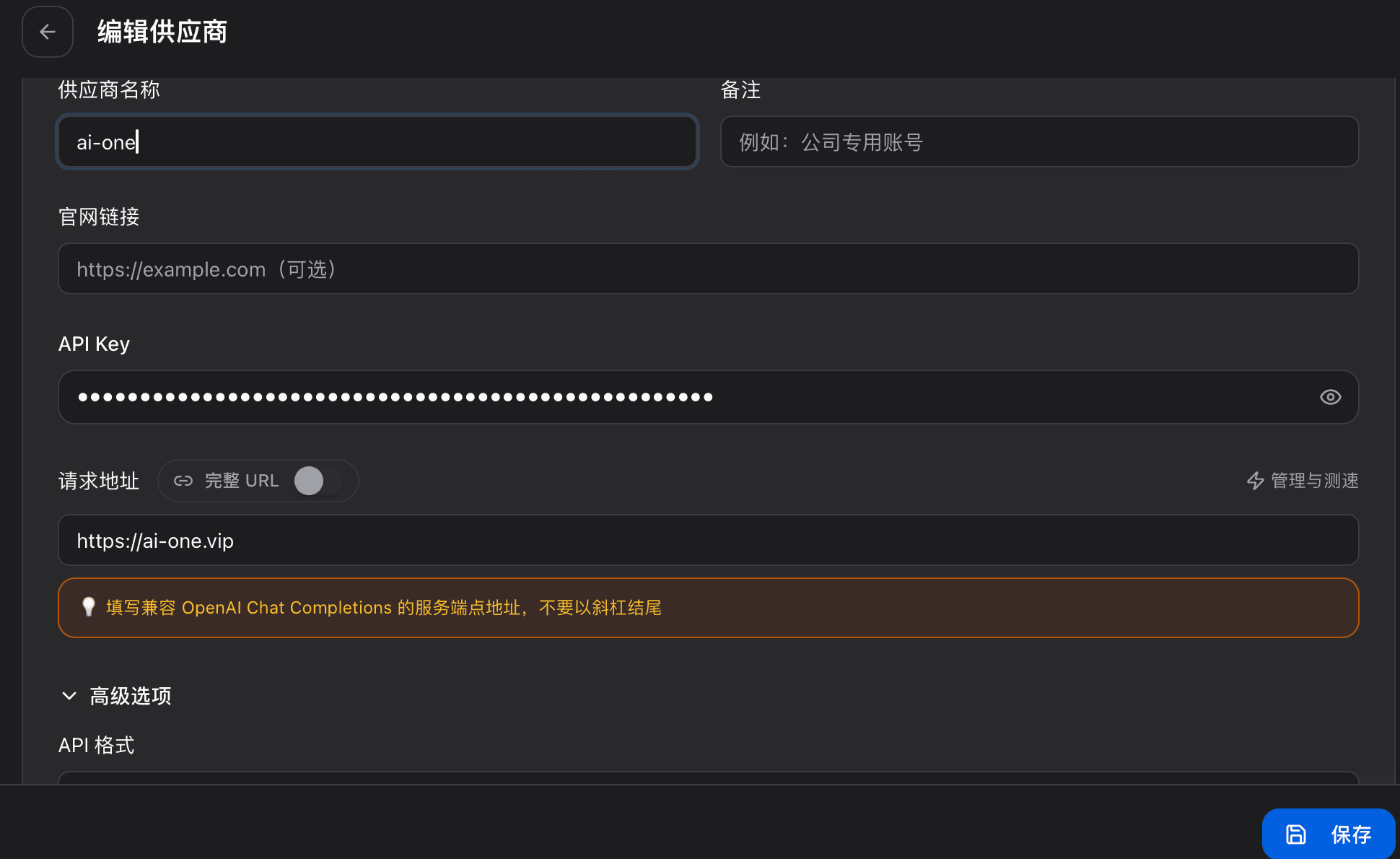
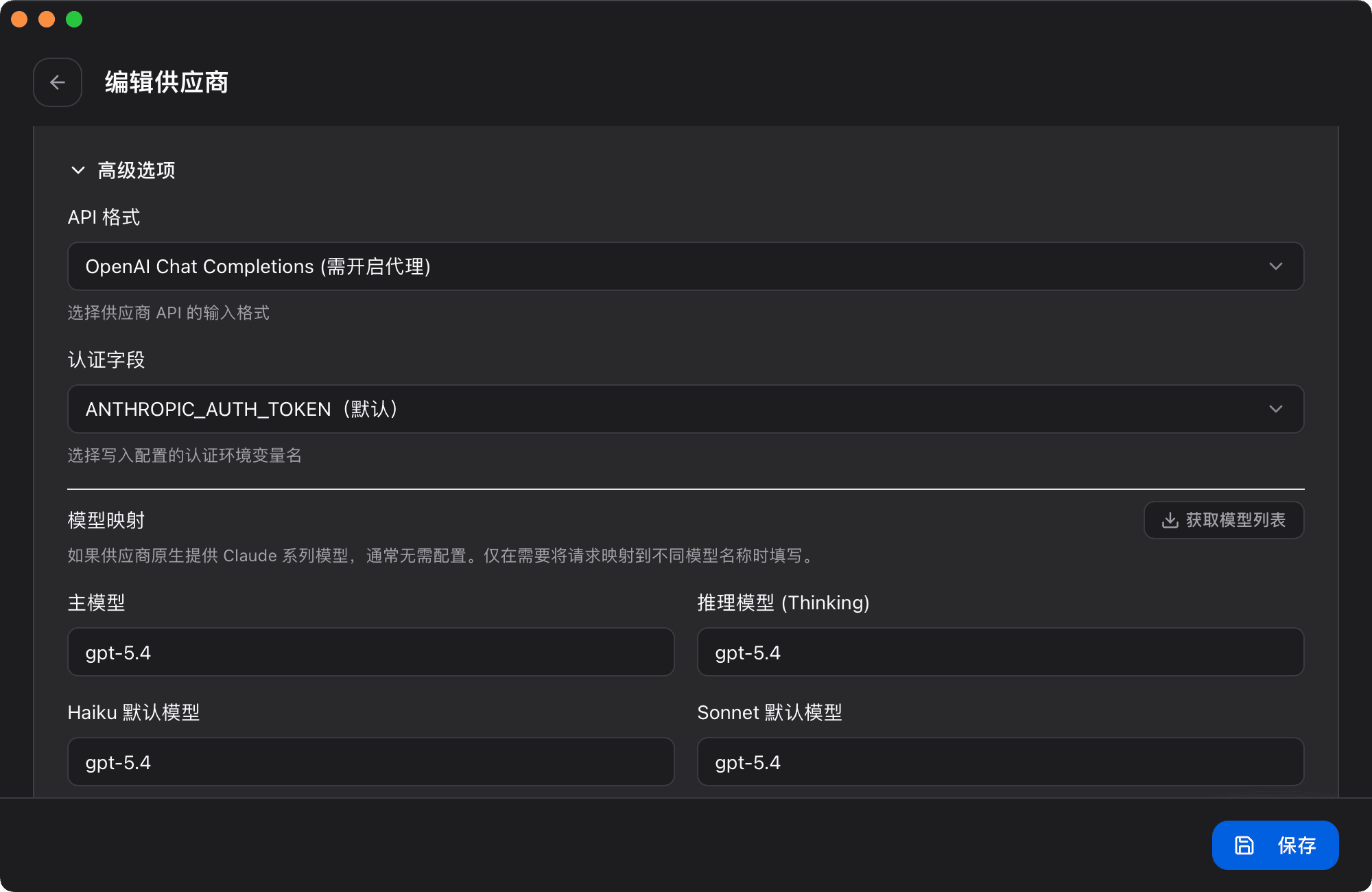
Step 3: Add a Claude config
Add the Claude parameters exactly as shown in the screenshots.
Step 4: Open the terminal
Open a terminal and complete the remaining validation steps shown in the screenshots.

Summary
After setup, Claude Code can directly use GPT models.